
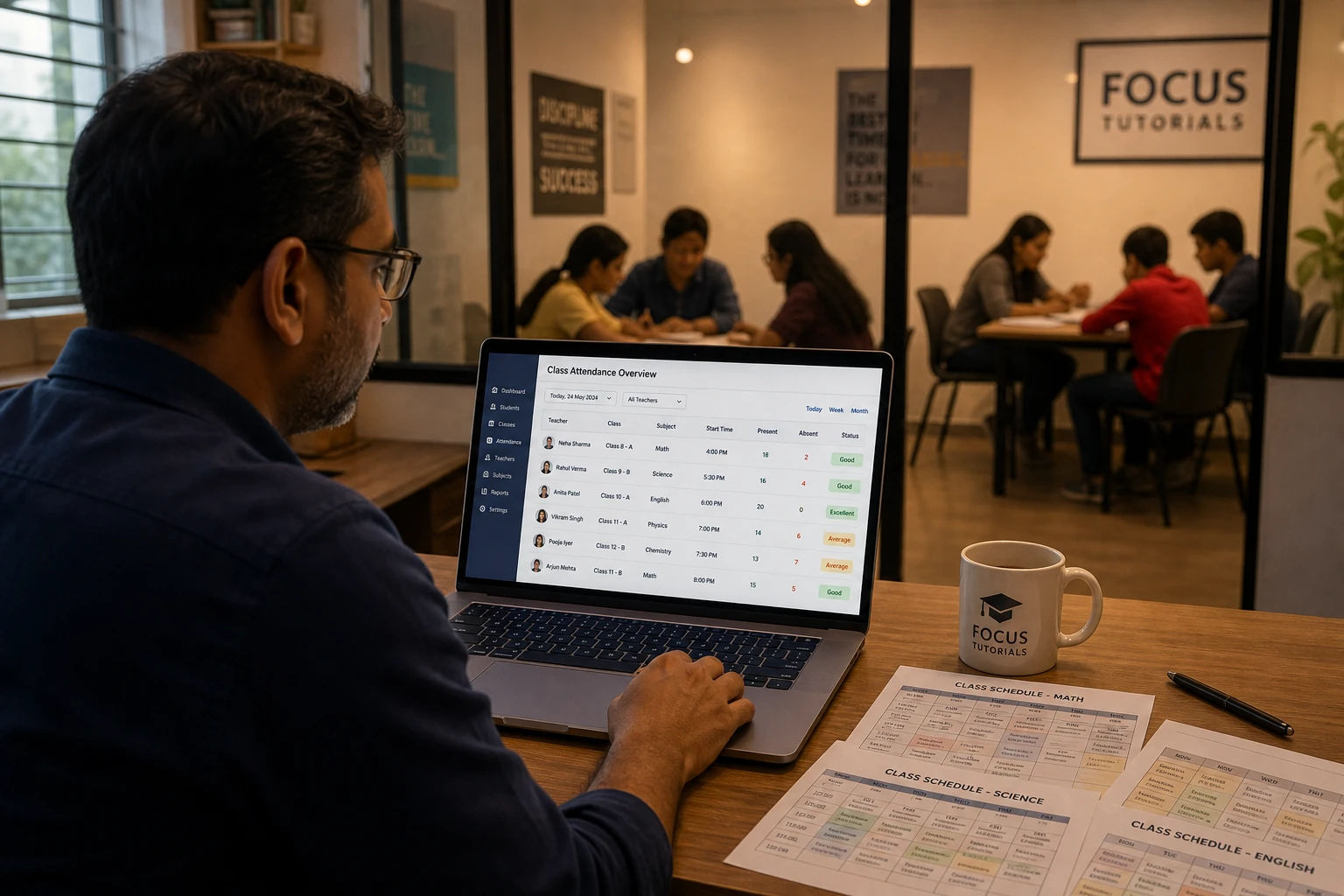
How to Manage Attendance for a Coaching Center With Multiple Teachers
Running a coaching center with two or more tutors sounds straightforward until attendance becomes the thing that quietly falls apart every week.
Each teacher tracks their own students their own way. One uses a notebook. Another has a spreadsheet that only they understand. A third sends you a WhatsApp message at the end of each day with a rough count. At the end of the month, when a parent asks how many sessions their child has attended, or when you want to see which batches have the lowest attendance, you have no clean answer. You have a pile of disconnected records that someone needs to manually piece together.
This is the core attendance problem for coaching centers, and it is fundamentally different from the problem a single teacher or a large school faces. You are not one person tracking one class. You are not an institution with a dedicated administrative team. You are a small education business with two to five tutors, multiple subject batches, and students who move between them, and you need a system that fits that reality rather than one built for someone else's.
This guide covers how to set up attendance management for a coaching center with multiple teachers in a way that actually works.
Why Coaching Centers Need a Different Approach
Most attendance software falls into one of two categories. Tools built for individual teachers are simple and affordable but do not support multiple logins or any kind of manager overview. Tools built for schools are comprehensive but designed for institutions with IT departments, administrative staff, and budgets that small coaching centers do not have.
The coaching center sits in a gap between these two. You need more than a solo teacher tool but far less than a school management system. You need two or three teacher accounts with separate logins, a way to see what each teacher has marked without being in their notebook, and the ability to generate a report for any class or any student without chasing anyone for their data.
The other thing that makes coaching centers different from schools is the structure of their classes. A school class has a fixed set of students who attend every day. A coaching center batch might have 15 students who come on specific days, with some attending multiple subjects taught by different teachers. Tracking this cleanly on a shared spreadsheet is nearly impossible without version conflicts and formula errors.
The Problems That Show Up When You Do Not Have a Proper System
If your coaching center is currently managing attendance through a mix of individual notebooks, WhatsApp messages, and spreadsheets, you have probably already encountered most of these.
No consistent format across teachers. When each teacher tracks attendance in their own way, the data cannot be compared or consolidated. One teacher uses P and A, another uses ticks and crosses, another writes full names for absences and abbreviations for everything else. Extracting a unified picture from this takes real time every single month.
No visibility without asking. If you want to know whether Tuesday's batch was marked today, you have to ask the teacher. If you want to see how a specific student's attendance looks across all their subjects, you have to contact multiple teachers and wait. A system that requires asking before you can see anything is not a system, it is a communication dependency.
Reports are manual and slow. When a parent asks for their child's attendance summary, or when you need to review attendance before issuing fee receipts at the end of the month, someone has to manually compile data from multiple sources. If you have three teachers each managing three to four batches, that is a significant amount of administrative work that falls on whoever is coordinating the center.
Data lives on personal devices. A teacher who leaves your center takes their spreadsheet or notebook with them. Or worse, the spreadsheet file sits on their personal laptop and gets deleted during a device clean-up. Attendance records for an entire term can simply disappear.
Errors go unnoticed. A formula error in a teacher's spreadsheet, a holiday that was not excluded from calculations, or a student added mid-term without updating the totals can produce attendance percentages that are quietly wrong for weeks. There is no oversight mechanism to catch these unless you check each teacher's work manually.
What a Coaching Center Attendance System Actually Needs
Before looking at tools, it helps to be clear about what the specific requirements are for a multi-teacher coaching center setup. These are different from what a solo teacher needs and different from what a large school needs.
Separate teacher logins. Each tutor should have their own account and see only their own classes and students. They should not be able to see or edit another teacher's records, and they should not need to share a single login that creates access conflicts.
A manager or admin view. The person running the center, whether that is an owner, coordinator, or admin, needs to see across all classes and teachers from a single account. Not to micromanage but to have the visibility needed to answer parent questions, generate reports, and identify patterns without contacting every teacher individually.
Class-level organization. Each batch should be its own contained unit with its own student list and its own attendance history. Classes taught by different teachers should not share data unless deliberately linked.
Four attendance statuses minimum. Present, Late, Excused Absent, and Unexcused Absent. In a coaching center context, the distinction between excused and unexcused matters for parent communication and for any fee or refund policies tied to attendance.
Notes per entry. Teachers need to be able to record why a student was absent or late at the time of marking. A note field attached to each entry preserves this context for later, which is essential when a parent disputes a record months down the line.
Easy report generation. A manager should be able to pull a full attendance report for any class, any student, or any teacher's group for any date range, without needing to contact the teacher or wait for them to compile data.
Excel export. Reports need to come out in a format that can be shared with parents, stored as records, or reviewed offline.
Bulk student import. When a new batch starts, adding 20 or 30 students manually is unnecessarily slow. A spreadsheet upload that creates all students at once saves meaningful setup time.
How DigiAttend Handles Multi-Teacher Coaching Centers
DigiAttend's Tutor+ plan was built specifically for this kind of setup. Not for a solo teacher, and not for a large school. For a coaching center with two to three tutors and a manager who needs oversight without being in the room.
Here is how the practical setup works:
The admin or manager creates the account and sets up the center structure. From the manager account, you create each class with its name, academic year dates, and timetable. You decide which teacher is assigned to which class.
Each teacher gets their own login. You create teacher accounts from the manager dashboard. Each teacher logs in with their own credentials and sees only the classes assigned to them. They cannot access other teachers' student lists or attendance records.
Teachers mark attendance independently each day. Each teacher opens their class, selects the date, and marks each student as Present, Late, Excused Absent, or Unexcused Absent. They can add a note to any entry. The record saves automatically in real time. The teacher does not need to send you anything because the data is already in the system.
The manager sees everything from one place. From the admin account, you can view attendance across all classes without logging into each teacher's account. If you want to check whether a batch was marked today, you check. If a parent calls asking about their child's attendance across two subjects taught by different teachers, you look it up without needing to make any calls.
Reports are generated on demand. You select a class, set a date range, and export a full attendance breakdown to Excel. Every student, every status type, every percentage, every note attached to individual entries. This works the same whether you want a report for one student or for an entire class over a full term.
The Tutor+ plan supports up to three teacher accounts, one admin or manager account, up to ten classes, and up to 500 students. Annual billing brings the monthly cost down to approximately $29.74. For a coaching center with two to three tutors running multiple subject batches, this covers the complete setup without paying for school-grade infrastructure.
Setting Up Attendance Across Multiple Teachers: A Practical Workflow
Here is what the day-to-day looks like once the system is in place.
At the start of term: The manager creates all classes for the new term with academic year dates set. Teachers are assigned to their classes. Student lists are imported via Excel for each batch. Known holidays and off-days are marked so they are excluded from calculations automatically.
Each day: Teachers log in, open their class, and mark attendance for the session. Two minutes per class. Auto-saved. Done. The manager does not need to do anything for daily marking.
When a parent contacts the center: The manager pulls up the student's record from the admin view, checks their attendance history across all relevant classes, and has a clear answer without contacting any teacher. If a parent disputes an entry, the manager can see exactly what was marked, when, and any note attached.
At the end of the month: The manager generates attendance reports for each class or for specific students who are approaching low attendance thresholds. Reports export to Excel in under a minute per class and can be shared with parents directly or kept for internal records.
At fee review time: Any policy that ties fee adjustments or refunds to attendance percentages can be reviewed from the exported reports without any manual calculation.
Common Mistakes Coaching Centers Make With Attendance
Relying on one shared spreadsheet for all teachers. This creates version conflicts, formula errors, and the constant risk of one teacher accidentally editing another's data. Separate accounts for each teacher eliminate this entirely.
Not setting up holidays before the term starts. If holidays are not marked in the system before attendance is recorded, percentages will include those dates in the denominator and every student's attendance will look lower than it actually is.
Giving teachers full admin access. Teachers should only see their own classes. If every teacher has access to the whole system, you lose data privacy between batches and create the risk of accidental edits to other teachers' records.
Not backing up attendance data. Paper registers and personal spreadsheets are vulnerable to loss. A cloud-based system with Excel export gives you both automatic cloud storage and the ability to create local backups whenever you need them.
Waiting until the end of term to review attendance. By the time you catch a student with 50% attendance, the term is almost over. Regular reviews mid-term let you flag issues early and have conversations with parents before the situation becomes a problem.
When to Upgrade Beyond the Tutor+ Plan
The Tutor+ plan covers most small to mid-sized coaching centers comfortably. The situations where you would need more are specific.
If your center has more than three teachers who each need their own login, the Tutor+ plan's three-teacher limit will be reached. The School plan, currently in development, will support up to 50 teacher accounts and unlimited classes for larger institutions.
If you have more than ten classes running simultaneously, you will hit the class limit on the Tutor+ plan. Again, this applies to larger operations than the typical coaching center this plan is designed for.
If you need a parent portal where parents can log in and view their child's attendance directly, that feature is part of the upcoming School Plan rather than the current Tutor+ offering.
For a center with two or three teachers running multiple subject batches with a total student count under 500, the Tutor+ plan covers the full workflow without anything missing.
Frequently Asked Questions
Q1: Can each teacher in my coaching center have their own login on DigiAttend?
Yes. The Tutor+ plan supports up to three separate teacher accounts, each with their own login credentials. Each teacher sees only the classes assigned to them. The manager or admin account has visibility across all classes and teachers.
Q2: Can the manager see what each teacher has marked without asking them?
Yes. The manager account gives you oversight across all classes in the center. You can view attendance records for any class, generate reports for any student, and check whether specific classes have been marked on any given day, all without contacting the teacher.
Q3: What happens if a teacher leaves my coaching center?
Their account can be deactivated from the admin dashboard. The attendance data they recorded remains in the system under the relevant classes. Your records are not tied to the teacher's personal device or account in a way that puts them at risk if they leave.
Q4: Can I generate a single report that covers a student's attendance across multiple subjects or teachers?
Reports in DigiAttend are currently generated per class. If a student attends two classes taught by different teachers, you would generate two separate reports and review them together. A consolidated multi-class student report is a feature that may be added in future updates.
Q5: How does the holiday management work when different teachers have different schedules?
You can mark holidays globally, which applies them to all classes in the center, or mark them per individual class. If one teacher's batch runs on different days from the others, you can set off-days specifically for that class without affecting the others.
Q6: Can students be enrolled in more than one class in DigiAttend?
Yes. A student can be added to multiple classes if they attend more than one subject or batch. Their attendance is tracked separately in each class they are enrolled in.
Q7: Is there a limit to how many students can be added per class on the Tutor+ plan?
The Tutor+ plan supports up to 500 students across all classes combined. There is no specific per-class student limit within that total. A single class can hold as many students as needed as long as the overall count stays within the plan limit.
Q8: How long does it take to set up attendance for a coaching center with three teachers and eight classes?
Initial setup including creating teacher accounts, building class structures, setting academic year dates, marking holidays, and importing student lists typically takes two to four hours for a center of that size. From that point, teachers handle daily marking independently and the manager generates reports on demand.
Final Thoughts
Attendance management for a coaching center with multiple teachers is one of those operational problems that is small enough to ignore until it is not. A parent dispute, a fee review, or a mid-term attendance check can reveal very quickly whether your current system is actually reliable or just approximately functional.
The right solution for a coaching center is not the same as the right solution for a single teacher or a large school. You need something in between: enough structure to support multiple teachers with separate access, enough visibility for a manager to see the full picture, and enough simplicity that teachers actually use it every day without friction.
DigiAttend's Tutor+ plan was built for exactly this. Three teacher accounts, one manager account, up to ten classes, and every core attendance feature included. Setup takes an afternoon. Daily use takes two minutes per class per teacher.
Try DigiAttend free at digiattend.com to see how the platform works before upgrading to Tutor+. The free plan covers one class and up to 30 students with no credit card required.