
Digital Attendance Register for Schools: Everything You Need to Know
Ask any teacher who has been in the classroom for more than five years and they will tell you: the paper attendance register is one of those things that sounds simple until you are responsible for maintaining it at scale.
One class, a handful of students, a neat notebook. Fine. But multiply that across an entire school with dozens of teachers, hundreds of students, and a principal who needs accurate reports by Friday, and the paper register starts showing its age very quickly.
This guide covers everything a school, coaching center, or educational institution needs to know about digital attendance registers: what they are, how they actually work, what to look for when choosing one, how the transition from paper happens, and why schools that make the switch almost never go back.
What Is a Digital Attendance Register?
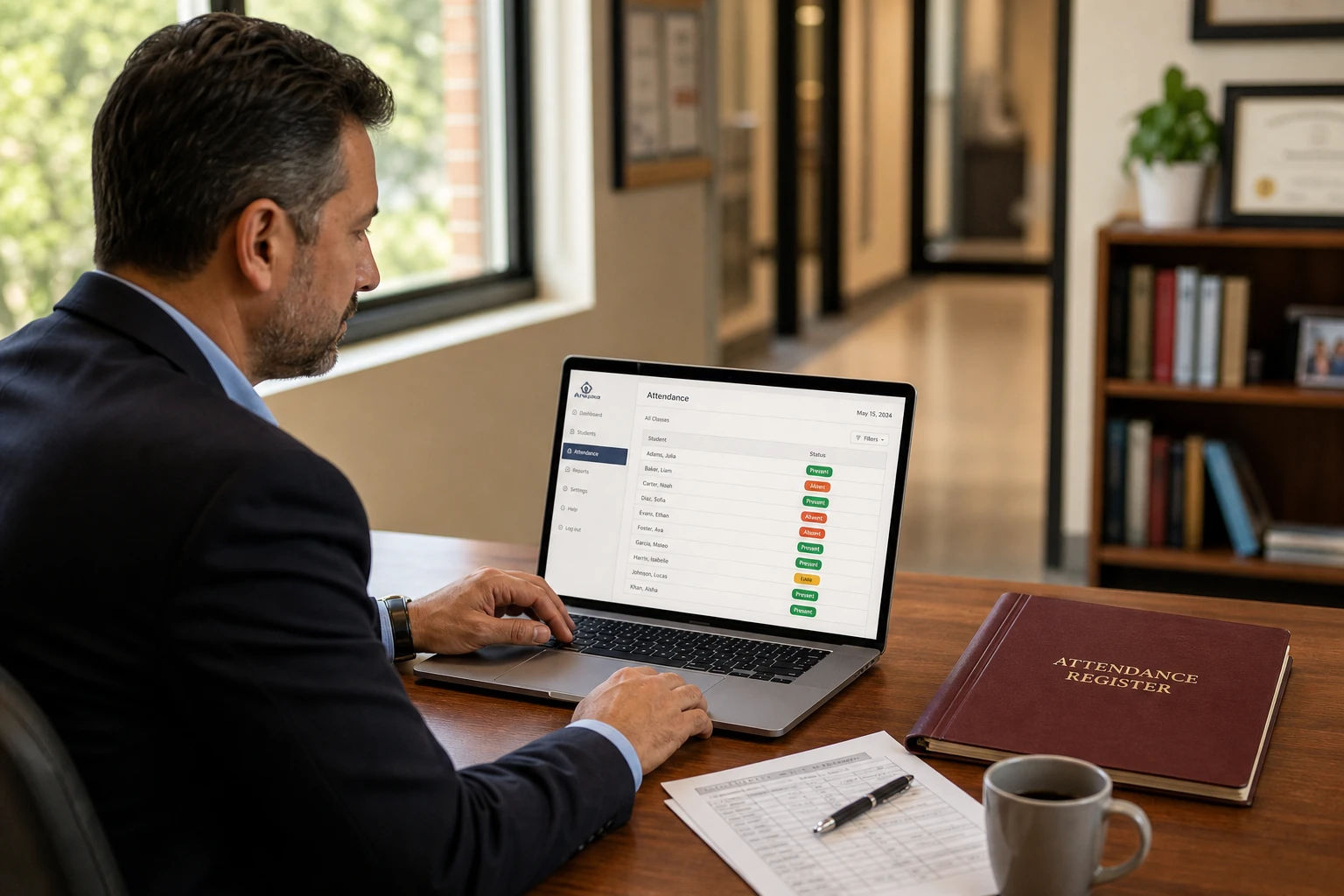
A digital attendance register is a software-based system that replaces the traditional paper register used to record student attendance. Instead of a teacher writing names, ticking boxes, or scrawling marks into a physical book, they log into a web-based platform, select their class and date, and mark each student's status with a click or tap.
The data is saved automatically, stored securely in the cloud, and available for reporting at any time. A teacher does not need to be in the same room as the register. A principal does not need to collect notebooks from fifteen teachers to get an overview of daily attendance. A parent does not need to wait for a phone call to find out if their child was present.
A digital attendance register is not a spreadsheet. While tools like Google Sheets can technically store attendance data, a purpose-built digital register is designed specifically around the needs of schools: multiple teachers, multiple classes, academic year boundaries, holiday management, parent communication, and one-click reporting. The difference becomes obvious quickly once a school tries to scale past a handful of classes.
Why Schools Are Moving Away From Paper Registers
The shift away from paper attendance registers has been happening gradually across schools worldwide, and it is accelerating. The reasons are practical rather than ideological.
Paper records are fragile. A single damaged or misplaced register can wipe out weeks of attendance data with no way to recover it. There is no backup, no version history, and no audit trail.
Generating reports is slow and error-prone. When an exam board or a local authority requests attendance data, someone on the administrative staff has to manually compile numbers from multiple registers, calculate percentages, and format everything into a presentable document. This takes hours that should be spent on actual school operations.
There is no visibility across the institution. A head teacher or principal using paper registers has no way to see at a glance which classes have been marked and which have not. Getting a real-time picture of daily attendance means walking from classroom to classroom or waiting for teachers to hand in their notebooks.
Holiday exclusions require constant manual adjustment. Paper registers offer no automatic way to exclude public holidays or school-specific off-days from attendance calculations. Every percentage figure has to be adjusted by hand to account for days when no classes were held.
Multi-teacher coordination is difficult. Each teacher maintains their own register. Consolidating data across an entire school means collecting, reconciling, and manually aggregating dozens of separate records.
Disputes have no evidence base. If a student or parent challenges an attendance record, the only reference point is what is written in the notebook. There is no timestamp, no record of who made an entry, and no way to verify a disputed mark.
These are not edge cases. They are daily realities for schools still running on paper. A digital attendance register resolves every one of them.
How a Digital Attendance Register Works
The basic workflow is simple, but the mechanics underneath are what make it genuinely useful.
Daily attendance marking happens through a browser on any device. A teacher logs into the system, selects their class, and sees a list of all enrolled students. For each student, they choose a status: Present, Late, Excused Absent, or Unexcused Absent. If needed, they add a note. The entry is saved automatically in real time. The whole process for a class of 30 students takes about two minutes.
Academic year management means the system knows the boundaries of each class's term. Reports and analytics only include data within the active academic year, so historical data from previous terms never bleeds into current reports.
Holiday and off-day management lets administrators or teachers mark specific dates as non-school days, either across the entire institution or for individual classes. Once marked, those dates are automatically excluded from all attendance percentage calculations. No manual adjustment required.
Reporting works on demand. Select a class, set a date range, and generate a detailed report in seconds. A good digital register breaks down attendance by status type, shows individual student percentages, and exports the data to Excel with a single click.
Role-based access means each person in the system sees only what they should. Teachers see their own classes. Administrators see across all classes and teachers. Parents, where the feature is available, see only their own child's records.
What to Look for in a Digital Attendance Register for Schools
Not all digital attendance systems are equal. Here is what actually matters when evaluating options for a school.
Multiple Absence Statuses
A basic present/absent toggle is not enough for a real school environment. You need at least four statuses: Present, Late, Excused Absent, and Unexcused Absent. The distinction between excused and unexcused absences matters for reports, for parent communication, and for any regulatory compliance requirements.
Per-Entry Notes
Teachers need to be able to attach a reason or context to individual attendance marks. A student who is absent because of a medical appointment is different from one who simply did not show up. Those notes become important when generating formal reports or handling disputes.
Automatic Holiday Exclusions
If the system does not handle off-days and holidays natively, someone is manually adjusting percentage calculations every term. This is a non-negotiable feature for any school with a meaningful number of classes.
Excel or CSV Export
Your data has to be yours. Any serious attendance system should let you export full reports to Excel or CSV at any time, with no extra cost and no hoops to jump through. This is how you share data with parents, exam boards, or local authorities.
Multi-Teacher and Role-Based Access
A school is not one person. The system needs to support multiple teacher accounts, each with access only to their own classes, plus manager or admin accounts that have visibility across the whole institution. Role-based access is the foundation of a scalable school attendance system.
Academic Year Boundaries
The system should allow each class to have its own academic year start and end dates. Without this, data from different school years gets mixed together, which creates confusion in reports and makes historical comparison impossible.
Bulk Student Import
At the start of a new term, re-entering hundreds of student records manually is a significant time cost. A good system lets you upload a spreadsheet with student names, roll numbers, contact details, and any custom fields all at once.
Mobile-Friendly Design
Teachers mark attendance in classrooms, not offices. The system needs to work properly on a tablet or phone without requiring an app download. A responsive web interface that works in any browser is the most practical option.
Data Security
Student attendance data is sensitive. The system should use encrypted storage, secure authentication with strong password requirements, and row-level access control so each user can only see data they are authorized to view.
The Difference Between a Digital Register and a School Management System
This distinction matters because it affects what you pay and what you actually need.
A full school management system (sometimes called a school information system or SIS) typically covers admissions, fee management, timetabling, staff payroll, library management, exam scheduling, and more. These systems are built for large institutions, often cost tens of thousands of dollars per year, require dedicated IT support to implement, and take months to deploy.
A digital attendance register is focused. It does one thing exceptionally well: attendance. It is set up in an afternoon, used immediately by teachers with no training beyond a 10-minute walkthrough, and priced for schools of all sizes rather than only large institutions with dedicated IT teams.
For many schools, especially mid-sized schools, coaching centers, and private institutions, a dedicated digital attendance register covers everything they actually need without the overhead of an enterprise platform.
How to Transition From Paper to Digital
The transition is less complicated than most school administrators expect. Here is how it typically works.
Week 1: Setup. An administrator creates the school account, sets up teacher logins, and builds the class structure. Academic year start and end dates are configured per class. Public holidays and known off-days are marked.
Week 1 to 2: Student import. Student lists are uploaded via Excel. Names, roll numbers, and any custom fields like parent contact details or house assignments are imported in bulk. For a school with 500 students, this takes about 30 minutes.
Week 2: Teacher onboarding. Teachers log in, get familiar with the marking interface, and run their first live attendance session. Most teachers are comfortable within a single class period. There is no complex workflow to learn.
Ongoing: Daily marking. From this point, teachers mark attendance digitally every day. Reports are generated on demand rather than compiled manually at the end of term.
Running paper and digital in parallel for the first two to four weeks is a reasonable approach for schools that want a safety net during the transition. Most schools phase out paper entirely by the end of the first month.
Why DigiAttend Is Worth Serious Consideration
DigiAttend is a cloud-based digital attendance register built specifically for teachers, tutors, and schools. It covers every feature listed above and is designed to be operational within a single afternoon of setup, not a months-long implementation.
Here is what makes it a strong fit for schools:
It works entirely in a browser. There is no software to install, no compatibility issues with different devices, and no IT department required to deploy it. Teachers use it on whatever device they already have.
Four attendance statuses with per-entry notes. Present, Late, Excused Absent, and Unexcused Absent, each with an optional note field for documentation.
Automatic off-day management. Mark holidays globally across all classes or individually per class. Every calculation from that point forward excludes those dates automatically.
One-click Excel export. Attendance reports are generated instantly for any class and any date range, formatted and ready to share with parents, administrators, or exam boards.
Academic year boundaries per class. Each class has its own year start and end date. Reports never mix data from different academic periods.
Bulk student import via Excel. Upload your full student list at the start of each term. No manual data entry required.
Role-based access for teachers and administrators. Each teacher sees only their assigned classes. Managers and admins get a broader institutional view.
Fully responsive on any device. Works on phones, tablets, laptops, and desktops without an app download.
Transparent, affordable pricing. The Teacher plan starts at $19.99 per month for one teacher, up to five classes, and 200 students. The Tutor+ plan at $34.99 per month adds multi-teacher support for up to three teachers and ten classes. A School plan for larger institutions is coming soon, covering up to 50 teachers and unlimited classes. Annual billing gives a 15% discount across all paid plans.
A genuinely free starting point. DigiAttend's free plan covers one teacher, one class, and up to 30 students with full access to core features including reports, bulk import, and off-day management. No credit card required, no time limit.
For schools that want to try the system before committing, the free plan lets a single teacher run a real class through a full reporting cycle before any purchase decision is made.
Common Questions Schools Ask Before Switching
How long does setup take? For a small to mid-sized school, initial setup including class structure and student import typically takes two to four hours. A single teacher with one class can be up and running in under 30 minutes.
Do teachers need training? The marking interface is straightforward enough that most teachers need no formal training. A brief walkthrough of the platform covers everything they need for daily use. The bigger time investment is in the initial configuration, which is usually handled by an administrator rather than individual teachers.
What happens to our historical paper records? They stay where they are. Digital attendance software does not replace historical paper records, it replaces the paper process going forward. Most schools scan and archive their paper registers for the required retention period and run entirely digital from the transition date onward.
Can we export data if we ever change systems? Yes. DigiAttend exports to Excel, which means your data is always in a format you own and can use independently of the platform. You are never locked in.
Is student data safe? DigiAttend stores all data with encryption, uses strong authentication requirements, and applies row-level security so each user only accesses what they are authorized to see. Student records are not sold or shared with third parties.
Frequently Asked Questions
Q1: What is the difference between a digital attendance register and an attendance app?
A digital attendance register is typically a web-based platform accessed through a browser without requiring app installation. An attendance app usually refers to a mobile application that needs to be downloaded to a phone or tablet. DigiAttend is a web-based platform, which means it works on any device through any modern browser without any download or installation.
Q2: Can a digital attendance register work for a school with multiple campuses?
Currently, DigiAttend is designed for a single institution. If your school has multiple campuses that operate independently, separate accounts would be needed for each. Multi-institution or multi-campus support may be introduced in future updates.
Q3: How does the system handle students who join mid-term?
Adding a new student to a class in DigiAttend is straightforward. The student's record begins from the date they are added. Reports and percentages for that student are calculated from their first entry date, not from the academic year start, so mid-term joiners do not unfairly show low attendance percentages.
Q4: What happens to attendance data if we cancel our subscription?
On DigiAttend, your data is preserved after cancellation. Your account reverts to the free plan limits, but all historical attendance records remain accessible and exportable. You do not lose your data.
Q5: Can parents see their child's attendance records?
DigiAttend has a Parent Portal planned as part of its upcoming School Plan. This will allow parents to register, verify their link to a student using a secure token, and view their child's attendance records in real time. This feature is not yet live but is in development for the School Plan launch.
Q6: Does a digital attendance register work without internet access?
DigiAttend is a cloud-based platform and requires an internet connection to mark and save attendance. In areas with unreliable connectivity, marking can be done when a connection is available, but real-time saving requires internet access. Offline marking with later sync is not currently a feature.
Q7: How does DigiAttend handle exam eligibility reporting?
DigiAttend's report export shows each student's attendance percentage for any selected date range. If your institution has a minimum attendance threshold for exam eligibility, you can compare each student's percentage against that threshold from the exported report. The platform does not currently enforce a threshold automatically, but the data needed to make that determination is always available.
Q8: Is there a limit to how many classes or students a school can have?
On the Teacher plan, the limit is five classes and 200 students. On the Tutor+ plan, ten classes and 500 students. The School plan, coming soon, will support unlimited classes and unlimited students with up to 50 teacher accounts. If you are currently on a plan and approaching your limit, DigiAttend will notify you so you can upgrade before being restricted.
Final Thoughts
The paper attendance register served schools well for a long time. But the gap between what paper registers can do and what schools actually need has grown too wide to ignore. Accurate reporting, multi-teacher coordination, parent visibility, holiday management, and instant data access are not luxury features. They are basic operational requirements that paper simply cannot meet efficiently anymore.
A digital attendance register solves these problems at the point of daily use, not just at the reporting stage. When attendance is marked correctly from day one, every report, every parent conversation, and every administrative review downstream becomes easier.
DigiAttend is a practical, affordable way for schools of any size to make that transition. Start with the free plan to run a real class through a full reporting cycle, then scale up when you are ready.
Try DigiAttend free at digiattend.com. No credit card required, no installation needed, and your first class is free forever.