
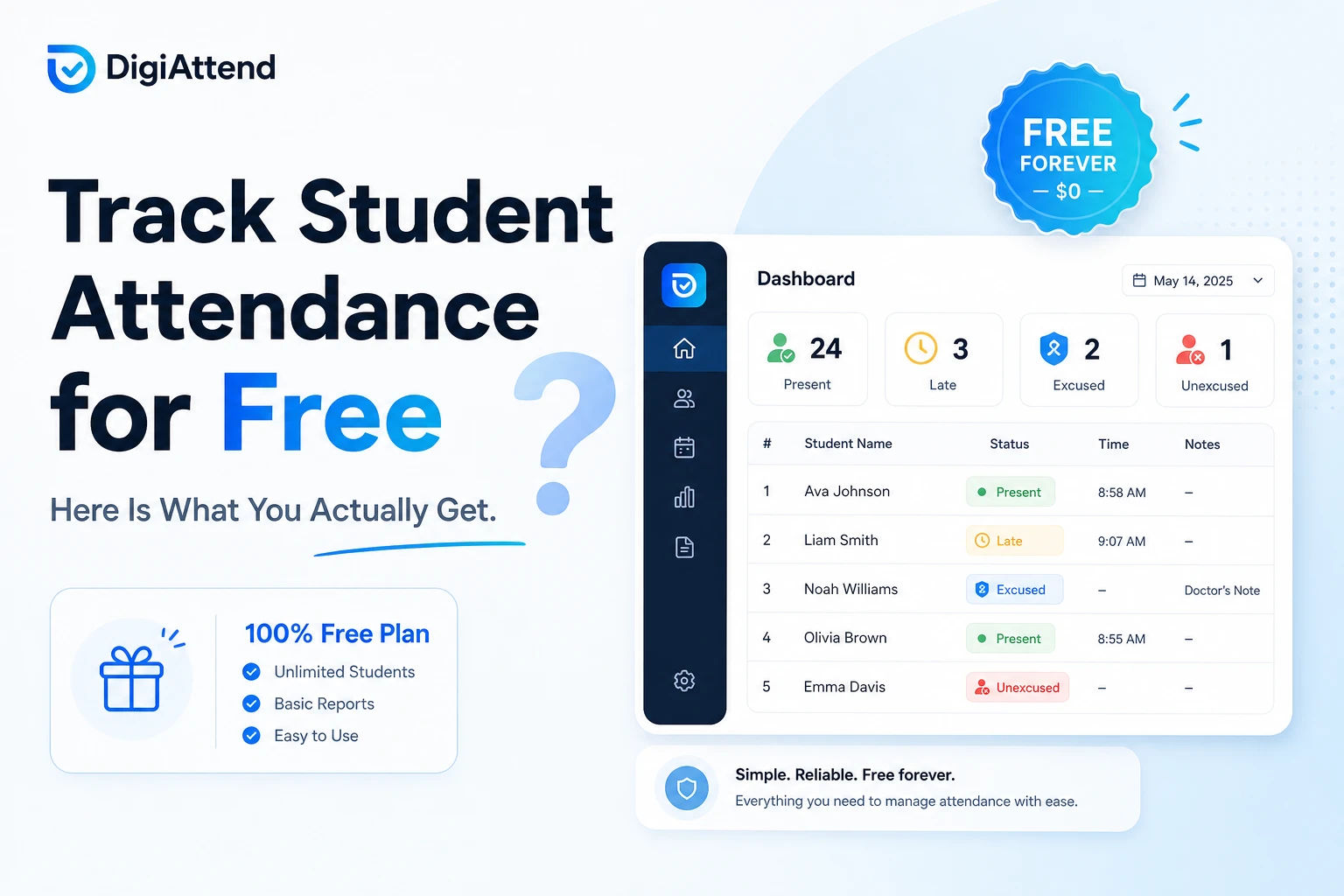
Can You Track Student Attendance for Free? Here Is What You Actually Get
Yes, you can track student attendance for free. But the honest answer does not stop there, because whether that free experience is actually useful depends almost entirely on which platform you are looking at.
Some free attendance tools are built to get you in the door and then frustrate you into paying. They let you mark attendance for five students, or they cut off reports after the first week, or they show you the interface but lock every meaningful button behind a paywall. That kind of free plan is not really free. It is a demo with a misleading label.
Other free plans are built differently. They cover a defined set of features completely, within a stated limit, with no hidden walls inside the limit. If you fall within those boundaries, the tool actually works for you day to day.
This article gives you a clear answer to the question: what do you actually get when you try to track student attendance for free? What is typically included, what is typically missing, and how does DigiAttend's free plan compare to what most people expect?
Why So Many Teachers and Tutors Search for Free Attendance Tools
The search for a free attendance solution usually comes from one of a few places.
Some teachers are switching from paper registers or spreadsheets and want to test a digital tool before committing to a subscription. They are not against paying eventually, they just want to know it actually works for their situation first.
Some tutors run small operations, one batch, ten to twenty students, and genuinely do not need an enterprise system. Paying $20 a month for one class feels like overkill when a well-built free option might cover everything they need.
Some educators have been through the cycle of signing up for a free plan, hitting a paywall on day three, and unsubscribing in frustration. They are searching again but with much lower expectations this time.
And some are just being sensible. There is nothing wrong with wanting to know exactly what you are getting before handing over your email address, let alone a credit card number.
All of these are reasonable motivations. The answer they are looking for is the same: is there a free attendance tool that actually works, or do all free plans eventually become a dead end?
What Free Usually Means in Attendance Software
The word free covers a wide range of experiences in the software world, and attendance tools are no different.
A free trial gives you full access to the product for a limited time, usually seven to thirty days, then converts to paid or locks you out. This is useful for testing but not sustainable for ongoing use.
A freemium plan gives you permanent access to a limited version of the product. Some freemium plans are generous enough to be genuinely useful within their limits. Others are so stripped down that they only exist to show you what you are missing until you upgrade.
A demo account lets you click around the interface with sample data but does not let you add real students or mark real attendance. This tells you almost nothing about whether the tool will work for your actual classroom.
What most teachers and tutors are actually looking for is a real freemium plan, one where the free tier is a smaller version of the product, not a fake version of it. The key question is whether the features included in the free tier are enough for a real daily workflow, or whether they are just enough to make the product look functional before the walls go up.
Can You Actually Use a Free Plan Every Day?
The answer depends on the platform, but the short version is yes, if the plan is designed properly.
A well-built free attendance plan does not need to include everything. It needs to include the right things. The core of any attendance workflow is straightforward: add your students, mark attendance each session, and retrieve records when you need them. If the free plan handles those three things without friction, it is usable every day.
Where free plans tend to fall apart is when one of those three breaks down. You can add students but cannot export your records. You can mark attendance but only for seven days. You can see your data but only if you upgrade to generate a report. Any of those restrictions makes the free plan impractical for real use, regardless of how good the rest of the product is.
The best free plans are honest about their limits and complete within them. A limit of one class and thirty students is a real constraint, but if everything works fully within that limit, it is a usable constraint rather than a frustrating one.
What a Good Free Attendance Plan Should Actually Include
Before getting into specifics, here is a baseline for what any free attendance plan worth your time should cover:
One teacher account with a real login, not a guest session or a shared demo. Your data should be yours, not example data someone else generated.
At least one class where you can add real students and mark real attendance. A demo class with fake student names is not useful.
A student limit that reflects realistic small class sizes. Anything under twenty students starts to feel like a trick. Thirty is a reasonable minimum.
More than two attendance statuses. Present and absent is not enough for real classroom situations. You need at least late and excused absent as separate options.
Automatic saving. In a busy classroom, you should not have to remember to save before closing the tab.
Some way to export or review your records. If the data is trapped inside the platform with no way to share or back it up, the free plan creates a dependency problem.
Browser-based access so you can use it on whatever device you have without downloading anything.
These are not premium features. They are the floor. If a free plan does not cover these, it is not worth testing.
What You Actually Get With DigiAttend's Free Plan
DigiAttend's free plan is built around the idea that a free user should be able to run a real attendance workflow, not just a sample one.
Here is exactly what is included:
One teacher account. You create your own login with your name, email, and password. Your data is yours and accessible only to you.
One class. You can create one class with its own name, timetable, and academic year dates. Everything in the system organizes itself around that class automatically.
Up to 30 students. You can add up to 30 real students with their names, roll numbers, and any additional details you want to store. This covers most small to mid-sized tutoring groups and many classroom situations.
Four attendance statuses. Present, Late, Excused Absent, and Unexcused Absent are all available on the free plan. You can also add a per-entry note to any record, so if a student was late because of a doctor's appointment you can document that at the time rather than trying to remember it later.
Auto-save in real time. Every mark saves the moment you make it. There is no save button and no risk of losing a session's worth of records because you closed the tab before submitting.
Academic year management. You can set a start and end date for your class's academic year. All reports and calculations automatically stay within that boundary, so last year's data never bleeds into this year's records.
Holiday and off-day management. You can mark specific dates as non-school days, either one-off cancellations or public holidays. Those dates are automatically excluded from attendance percentage calculations. This one feature alone makes DigiAttend more accurate than most spreadsheet setups, where holiday exclusions require manual formula adjustments every term.
Bulk student import. Instead of typing each student's name and details individually, you download a template, fill in your student list, and upload the file. Your full class is created in one go. For a teacher coming from a spreadsheet, this means your existing student data can be in DigiAttend in about five minutes.
Custom fields. You can add extra fields to student profiles beyond the standard name and roll number. Parent phone number, emergency contact, student ID, section, or any other detail relevant to your situation. These carry through to exported reports.
Excel export. You can generate and download a full attendance report for any date range within your academic year at any time. The report includes every student, their attendance counts by status, and calculated percentages. This is not locked behind a paid plan. Free users get the same export capability as paid users.
Browser-based access. DigiAttend works on any modern browser on any device. Phone, tablet, laptop, or desktop. No app to download and no compatibility issues to worry about.
None of these features are time-limited. The free plan does not expire. There is no countdown to when it becomes paid, and no credit card is required to sign up.
What You Do Not Get on the Free Plan
Being honest about this matters as much as explaining what is included.
The free plan supports one teacher account. If you need two or more teachers to log in and mark attendance for their own classes independently, that requires a paid plan. The Tutor+ plan at $34.99 per month supports up to three teacher accounts with separate logins and class assignments.
The free plan supports one class. If you teach multiple batches or subjects and need separate attendance records for each, you will need to upgrade. The Teacher plan at $19.99 per month supports up to five classes and 200 students, which covers most individual teachers who have outgrown a single class setup.
There is no manager or admin dashboard on the free plan. If you run a coaching center and want visibility across multiple teachers and classes from a central view, that is a paid feature.
The parent portal, which will allow parents to view their child's attendance records directly, is planned as part of the upcoming School Plan and is not available on the free plan.
These are real limitations, not obscure ones. If you need any of those features, the free plan is not going to cover you. But if you are a solo teacher or tutor managing one class, none of those limitations matter to your daily workflow.
Who the Free Plan Is Actually Built For
The free plan fits cleanly in a few specific situations.
A private tutor running one batch of students. Whether that is 8 students or 28, the free plan covers the full workflow: mark attendance, manage holidays, add notes, export reports. Nothing is missing for this use case.
A classroom teacher who wants to test digital attendance before recommending it to their school or department. Running one class through a full term on the free plan gives a complete picture of how the system works without any financial commitment.
A new educator setting up their first proper attendance system. The free plan is a low-pressure starting point with enough features to build a real habit around digital attendance tracking.
A small homeschool group or community class with under 30 learners that needs organized records without paying for school-grade software.
In all of these cases, the free plan is not a stepping stone to push people toward paying. It is a real option that works for real situations.
When Free Is Enough and When to Upgrade
The free plan is enough when your situation fits inside these three parameters: one teacher, one class, thirty or fewer students.
If you are within those limits and have no need for multi-teacher coordination or school-level reporting, the free plan can carry you through the full academic year without any gaps.
Upgrade to the Teacher plan when you need more than one class or more than 30 students. At $19.99 per month, or around $16.99 monthly when billed annually, it covers up to five classes and 200 students. That handles most individual teachers whose student base or class count has grown.
Upgrade to the Tutor+ plan when you have more than one teacher who each need their own login and class access. At $34.99 per month it supports up to three teachers, ten classes, and 500 students, plus a manager account for overview access. This is the right fit for small coaching centers and tuition academies.
The upgrade path is clean. Your existing data, student records, and attendance history all carry across when you move to a paid plan. There is no starting over and no data loss.
Why Transparent Free Plans Build More Trust
There is a reason a product that is upfront about what its free plan includes and what it does not tends to attract more signups than one that hides the limitations until you are already inside the product.
When a free plan is described clearly and turns out to match that description exactly, the experience builds confidence. If the free tier does what it says it does, there is no reason to distrust the paid tiers either.
The opposite experience, signing up for something that turns out to be far more limited than it seemed, creates lasting skepticism. Teachers and tutors who have had that experience once are the ones reading articles like this before they sign up for anything.
DigiAttend's free plan is documented precisely because that transparency is the point. You know before you sign up exactly what you are getting, what you are not getting, and what it would cost to get more. That is not a sales tactic. It is just how a product worth using should work.
Frequently Asked Questions
Q1: Does DigiAttend's free plan ever convert to a paid plan automatically?
No. The free plan is free indefinitely with no automatic conversion and no credit card required. It stays free for as long as you use it within the one class, 30-student limit.
Q2: Can I export attendance data on the free plan?
Yes. Excel export is fully included in the free plan. You can generate and download attendance reports for any date range within your academic year as often as you need, with no restrictions.
Q3: What happens when I hit the 30-student limit?
DigiAttend will notify you as you approach the limit. Once you reach it, you cannot add more students until you upgrade to a paid plan. Your existing students and attendance records are not affected.
Q4: Is the free plan useful for a full academic year or just for short-term testing?
It is designed for long-term use. Academic year management, holiday tracking, and historical attendance records all work exactly the same on the free plan as on paid plans. A teacher running one class through a full academic year can do that entirely on the free plan.
Q5: Can I use DigiAttend's free plan on my phone?
Yes. DigiAttend is fully browser-based and works on any device through any modern web browser. No app download is needed.
Q6: If I upgrade later, do I lose my free plan data?
No. All your data carries across when you upgrade. Your class, student list, attendance history, and any notes or custom fields you have added all remain exactly as they are.
Q7: Does the free plan include holiday management?
Yes. You can mark specific dates as off-days or holidays, and those dates are automatically excluded from attendance percentage calculations. This works the same on the free plan as on paid plans.
Q8: Is there a student limit per day or per session?
No. The 30-student limit applies to how many students you can add to your class overall, not to how many you can mark on any given day. As long as your total class size is 30 or under, there are no per-session restrictions.
Final Thoughts
You can track student attendance for free. The honest answer is that the quality of that experience depends entirely on whether the platform you choose has built its free plan to be genuinely useful or just good enough to frustrate you into upgrading.
DigiAttend's free plan covers one class and up to 30 students with full access to the features that matter for daily attendance: fast marking, four status options, auto-save, holiday management, bulk import, custom fields, and Excel export. For a solo teacher or tutor who fits within those limits, there is nothing missing from the daily workflow.
If your needs are bigger, the paid plans are priced fairly and the upgrade is straightforward. But if you have one class and a manageable group of students, you may not need to pay for anything at all.
Try it free at digiattend.com. No credit card required.